HP LaserJet Pro 400
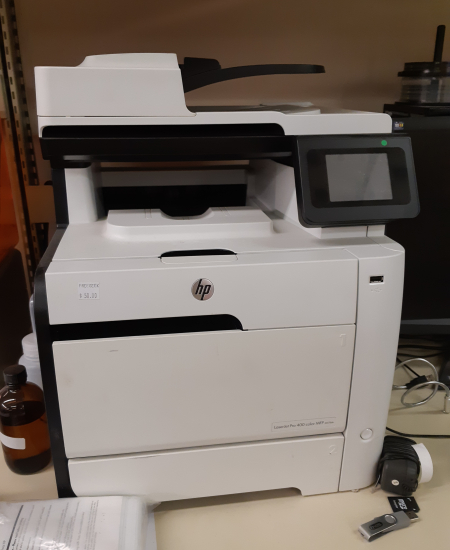
This is currently our main printer
| Model / Serial | HP Laserjet Pro 400 M475dn Color MFP |
|---|---|
| Status | Operational as of Date April 2019 |
| Training | Optional |
| Hackable | NO |
| Usage Restrictions | Anyone, but please donate for paper usage |
| Owner | VHS |
| If it Breaks | Put a broken sign on it, make a post on the forums |
| Loan Status | Owned |
| Arrival Date | Date |
| Location | Middle of the 3D-printing wall |
| Value | $$ |
| Champion | See Compendium of Champions |
How to Connect
Windows
Mac
- Make sure you are on the Vanhack wifi “Vancouver Hack Space”
- Open Settings > Printers & Scanners
- Click Add Printer, Scanner, or Fax…
- Select the Default tab
- The printer should appear as HP LaserJet 400 colorMFP M475dn (19CC0A) (Kind: Bonjour). Select it.
- Click Add
Tested on Mac OS Sequoia 15.7.4.
Linux
Tutorial
Instructions on how to use the tool or links to references, pdf guide or something. This should be a solid basis for any required training.
Maintenance Log
Any maintenance, repairs, relocations, changes, etc to the tool should be logged below with a note, date and who!
| type | Note | Date | Who |
|---|---|---|---|
| maintenance | Replaced black toner (Talk) | 2026-02-20 | jonmon6691 |